SAML/SSO Authentication
SAML/SSO authentication is only available in our Custom plan
Overview
dbdiagram provides Single Sign-On (SSO) functionality to access the workspace through a single authentication source, like Okta. This allows workspace admins to better manage team access and keep information more secure.
We use SAML (Security Assertion Markup Language), a standard that permits identity managers like Okta to safely pass authorization credentials to service providers like dbdiagram.
Enable SAML SSO for workspace
In order to authenticate your users with SSO/SAML in your workspace, you need to Enable SSO.
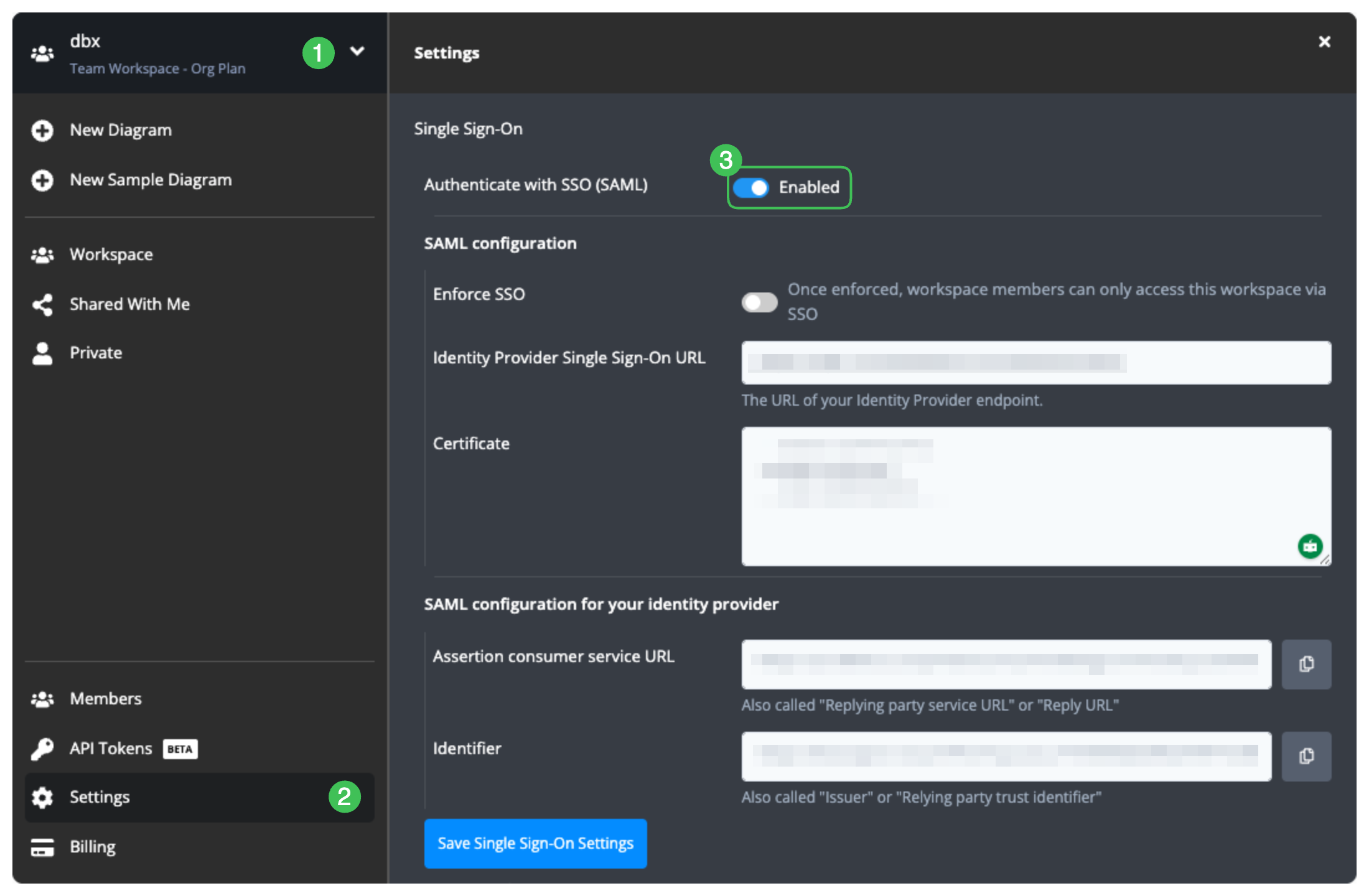
Workspace admin can configure the workspace settings to enable SSO:
- Open Workspace Modal and switch to the Workspace that needs to enable SSO
- Click Settings Tab
- Scroll into Single Sign-On section and toggle Enabled to on
Enforce SSO (Optional)
In case you want to restrict workspace members to only use SAML SSO to access the workspace, you can enable Enforce SSO. After enabling this option:
- Workspace member (excluding the workspace owner):
- Login via non-SSO methods: Cannot access the workspace
- Login via SSO: Can access the workspace
- Workspace owner: Can always access the workspace regardless of the login method
