Manage Your Account
Change your email address
You can change your email address directly in the UI:
-
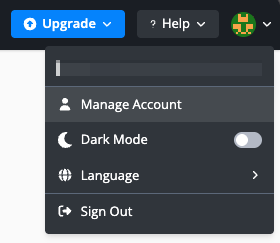
Hover over the avatar on the top-right corner and click "Manage Account" in the dropdown.
-
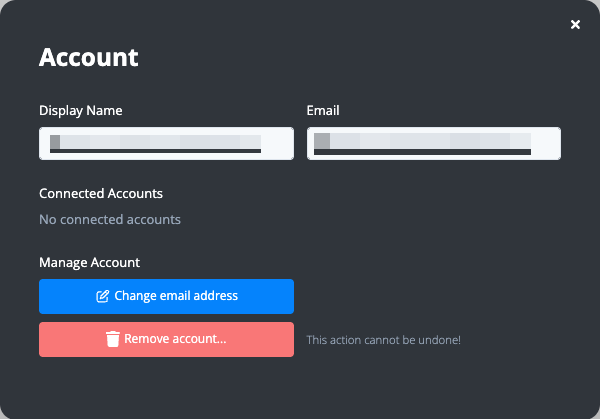
Click the "Change email address" button in the Manage Account modal.
-
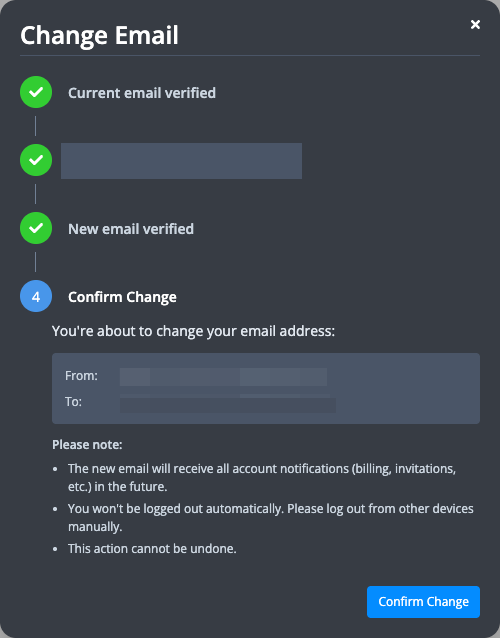
Verify your current email address via OTP.
-
Enter your new email address and verify it via OTP.
-
Confirm the email address change.
Remove your account
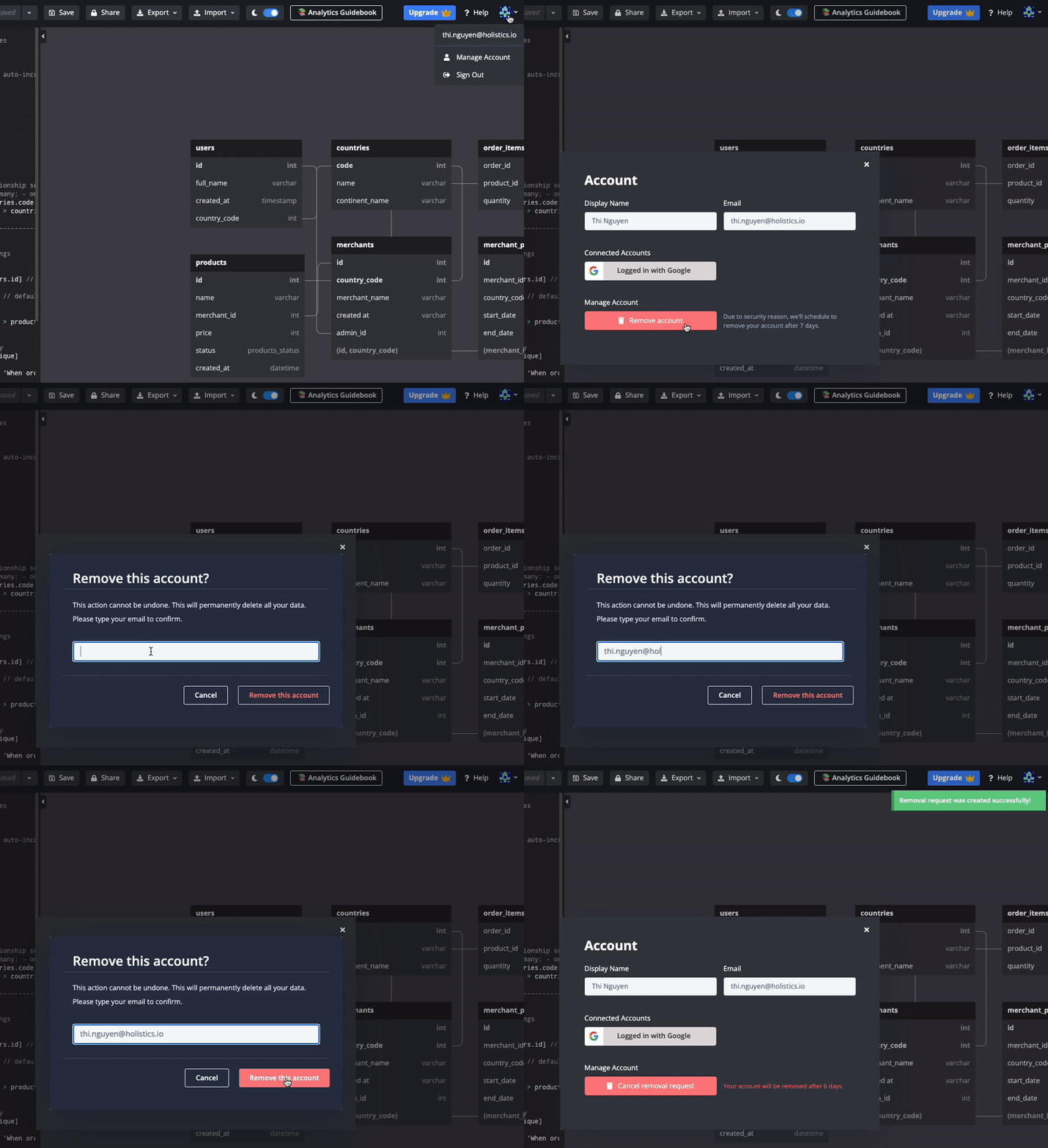
To remove your account:
- Hover over the Account dropdown menu
- Click Manage Account
- In the Manage Account section, initiate the removal process
Your account removal takes effect immediately. This action is permanent and cannot be undone, so please make sure you no longer need the account before removing it.