πŸ“§ Login via Email

dbdiagram

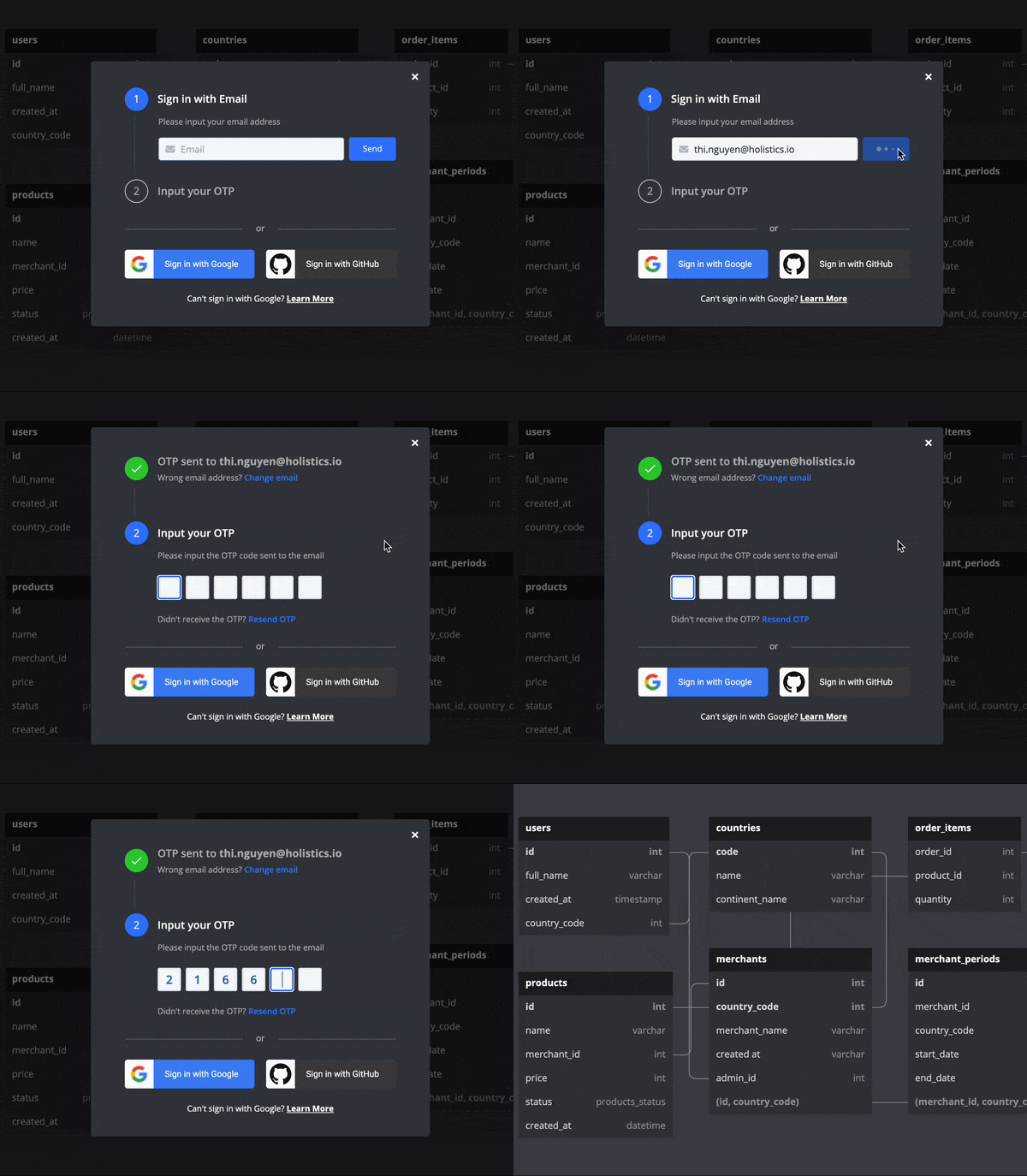
Previously you could only log in via Google or Github. This is limiting because sometimes your work email doesn't associate with these two services.

We want to ease your pain. With the Login via Email feature, feel free to connect the app with your work email & improve the workflow now!


πŸ—“οΈ Annual Billing

dbdiagram

We heard you! dbdiagram.io now officially supports annual billing for our pricing plans. Feel free to subscribe to our annual plans to get a discounted price and ease your billing management.

If you already have a monthly subscription and want to switch to an annual one, simply to go your billing page to do so.


πŸ—‚ Support Multiple Schemas

dbdiagram

Today we provide you with another powerful tool for documenting your database - Multiple Schemas.

Previously you could only define the table names, then every table falls into the default β€œpublic” schema.

Now, you can define the tables with full schema names:

Table ecommerce.order_items {
...
}

Moreover, you can make cross-schemas relationships and use enums from different schemas:

Table orders {
id int [pk, ref: < ecommerce.order_items.order_id]
status core.order_status
...
}

Enum core.order_status {
...
}

For more DBML syntax updates, please check out our docs!


πŸ—‚ Support Multiple Schemas

dbdocs

Today we provide you with another powerful tool for documenting your database - Multiple Schemas.

Previously you could only define the table names, and when loaded into dbdocs it falls into the default β€œpublic” schema.

Now, you can define the tables with full schema names:

Table ecommerce.products {
...
}

Moreover, you can make cross-schemas relationships and use enums from different schemas.

Table orders {
id int [pk, ref: < ecommerce.order_items.order_id]
status core.order_status
...
}

Enum core.order_status {
...
}

For more DBML syntax updates, please check out our docs!


🀝✨ Collaboration - Personal Pro feature

dbdiagram

Invite your colleagues to work on the same diagram with you in real-time.

Invite People: You can invite specific colleagues with their account email addresses.
Publish Editable Diagram: You can publish your diagram with edit permission, so any authenticated user can edit it with the diagram URL.

Real-time Collaborative Editing: For now, every edit experience on dbdiagram is real-time. Hence, you & your colleagues will be able to edit together on the same diagram, at the same time.